
Rank One
AllPlayers NetworkSports
4.0132.00 Reviews
- Version
- 3.10.58
- Installs
- 100.00K
- Age Rating
- Everyone
Screenshots
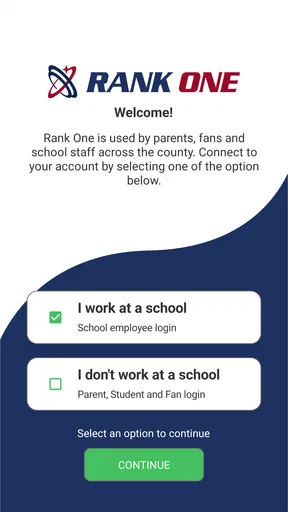
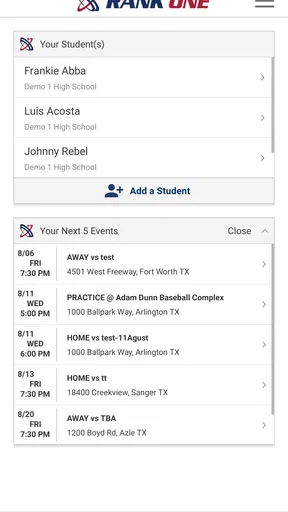
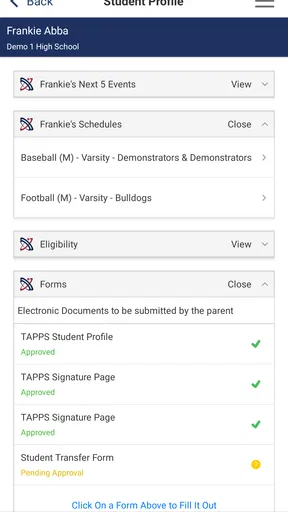
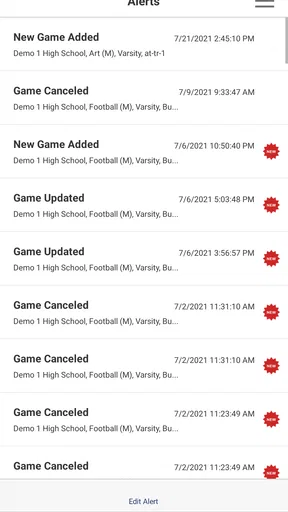
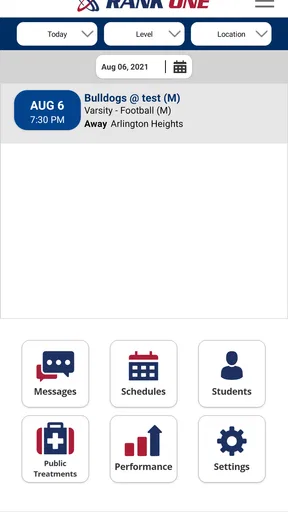
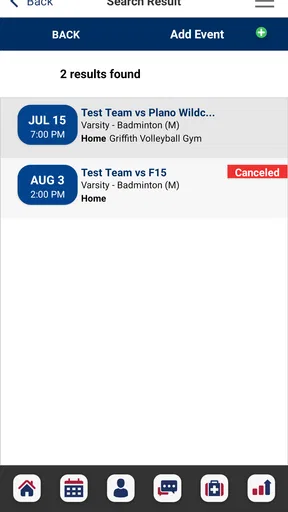
Our Review of Rank One
 Analysis by Appyee
I found Rank One most useful as a mobile window into school sports and fine-arts information rather than as a general-purpose sports app. It is aimed at school users, parents, students, and fans who need to check what is happening around a school program, and that focus makes a real difference to how I judge it. I would not install it expecting live professional scores, training plans, fantasy leagues, or a broad sports-news feed. Its value is more local and practical: bringing school-related information together in a place that can be checked from a phone.
The app is free, intended for Everyone, and comes from AllPlayers Network. It has reached over 100K installs and holds a 4.0 average from around 400 ratings, which suggests a generally positive reception without making it look universally loved. I see it as a tool whose usefulness depends heavily on whether a school or program represented in the app keeps its information current. When that connection is relevant to your daily routine, the app can save time. When it is not, there is little reason to keep it installed.
How Rank One handles readability and navigation
My first impression is that the app works best when I approach it with a specific purpose. I am not opening it to browse endlessly; I am looking for school sports or fine-arts information, checking a program, or trying to understand what is available to families and supporters. That narrower task helps keep the experience focused. A parent checking details before leaving for an event has a much clearer path than someone expecting a rich, magazine-style sports experience.
The short store description, “Rank One,” does not explain much by itself, so new users may need a moment to understand the app’s role. The more useful mental model is a school-program information hub. Once I think of it that way, the categories make more sense: sports and fine arts are not competing subjects inside a generic entertainment app, but two parts of school activity information that families and fans may need to follow.
Readability matters especially in the kind of quick checks this app invites. A user may be standing in a hallway, sitting in a car before an event, or sharing a phone with a student who wants to confirm information. I prefer a layout that lets me identify the relevant school or activity without forcing me through unrelated content. Rank One’s focused purpose is an advantage here, although the experience will still feel less direct if I have to search through several school or program contexts before reaching the information I need.
One practical habit improves the experience: I would decide in advance what I am trying to confirm. “I need the information for my child’s activity” is a better starting point than “I want to see what the app has.” This is not just a productivity tip. It reduces visual and mental clutter, particularly for users who find unfamiliar menus tiring or who need to complete a task quickly.
The app’s current version is 3.10.58, and it requires Android 9 or later. That requirement is reasonable for many modern phones, but it matters for families using older devices. A school may recommend the app without knowing that an older handset cannot run it comfortably or at all. I would check the operating-system requirement before making it the only way a family accesses school information.
Useful organization for families and school communities
Rank One’s strongest organizational idea is its audience. Parents, students, school users, and fans often need overlapping information, but they do not always approach it in the same way. A parent may be confirming details for transportation, a student may be checking an activity connected to the school day, and a fan may simply want to follow a program. Keeping these people within the same app can be more convenient than asking each group to use a different channel.
That shared setting also creates a trade-off. A student may understand the school structure immediately, while a visiting fan or extended family member may need clearer orientation. I would expect the app to feel most natural for people already familiar with the school or activity. If you are helping a grandparent, a new student, or someone who does not know the school’s naming conventions, plan to guide them through the first visit rather than assuming the interface will explain every context perfectly.
For repeated use, I would make a small routine of opening the app at the same point in my preparation: after checking the day’s schedule, before leaving home, or when arranging transportation. That turns it into a predictable reference instead of another notification source competing for attention. The app is more valuable when it answers a recurring question than when it is treated as something to explore casually.
Motor, sensory, and situational considerations
From an inclusive-use perspective, the most important strength is that Rank One places school information on a phone, a device many people already know how to operate. Familiar touch interaction can be easier than navigating a school website that requires repeated zooming, multiple browser tabs, or a desktop computer. For a parent managing several tasks at once, a dedicated app may reduce the number of steps between picking up the phone and finding the relevant school activity.
That does not automatically make the experience accessible to everyone. Touchscreen interaction can be difficult for users with tremors, limited dexterity, reduced precision, or fatigue. Small controls and tightly packed choices are harder to use when a person is moving, wearing gloves, or operating the phone with one hand. I would use the device’s own touch and display settings where helpful, but I would not assume that every part of the app will respond perfectly to enlarged text or alternative interaction preferences.
Sensory context matters too. A sports or fine-arts information app may be opened in bright outdoor light, in a noisy gym, or during a crowded event. Those conditions make contrast, clear labels, and short navigation paths more important than decorative presentation. I found the app’s focused purpose more helpful than a busy entertainment feed would be, because I can concentrate on the school-related task. Still, users who depend on strong visual separation or who become overwhelmed by dense screens should test the app during the conditions in which they actually plan to use it.
For someone with low vision, the phone’s built-in magnification, display scaling, and screen reader tools may provide useful support, but the quality of that experience depends on how the app labels its controls and presents its content. I would not promise a seamless result without testing the exact device and settings. The sensible approach is to open the app before an important event, enlarge the display if needed, and confirm that the essential information remains understandable with the user’s preferred setup.
Users with hearing differences may appreciate that the core purpose is informational rather than dependent on spoken instructions. Someone can consult the app visually instead of relying on announcements at a field or venue. At the same time, the app should not be treated as a substitute for every other school communication channel. If a family needs urgent changes, detailed directions, or context that is not visible in the app, they may still need messages from the school or program.
A realistic family workflow
Imagine a parent whose child participates in a school activity and whose evening involves work, transportation, and more than one family member. Before leaving, I would open Rank One, go to the relevant school or program context, and use it to confirm the activity information I need. If another family member is driving, I could hand over the phone after reaching the correct screen rather than asking them to search from the beginning. That small reduction in repeated explanation is where a school-focused app can feel genuinely useful.
The same workflow can help a student who needs to check information independently. Instead of waiting for a parent to forward a message, the student can look at the source used by the school community. Independence is valuable, but I would still encourage younger users to verify important changes with a trusted adult when travel, safety, or a last-minute adjustment is involved. An app can make information easier to reach without making every piece of information self-explanatory.
For fans, the benefit is different. A supporter may care about a school team or fine-arts program without being directly involved. Rank One gives that person a more relevant destination than a broad sports-news app, but the trade-off is scope. A national sports service will usually be better for professional leagues, major headlines, statistics, and commentary. Rank One makes more sense when the school community itself is the subject.
Where it compares well, and where another option wins
Compared with a normal mobile browser, a dedicated app can feel more convenient for repeated school checks because it keeps the task in one place. The browser is still the better fallback when a user has an older operating system, limited storage, or only occasional need for the information. I would not remove every alternative communication route just because Rank One is installed.
Compared with a school’s social-media page, the app has the potential to be more purposeful. Social feeds mix announcements with unrelated posts, comments, images, and distractions. That can be useful for community atmosphere, but less useful when I need one specific piece of information. Rank One’s school-sports and fine-arts focus is a better match for a quick reference task, while social media may remain stronger for informal updates and conversation.
Compared with a general calendar app, Rank One has a more natural connection to the school activity context. A calendar is excellent for personal reminders, but it depends on someone entering accurate details and updating them. Rank One is the better first stop when I want to see the information associated with the school program itself. A calendar is then useful as a second step for remembering what I found.
That distinction reveals an important limitation: no single app should carry the entire burden of communication. If a school uses several systems, families may still have to compare information across them. I would use Rank One as the program-specific reference, not as proof that every message, change, or personal reminder has been handled.
Remaining barriers and who should think twice
The biggest barrier is relevance. If your school, team, or fine-arts activity is not part of the environment you need to follow, the app’s focused design becomes a weakness. It is not trying to replace a broad sports service, a personal planner, or a general community platform. I would skip it if I rarely need school activity information or if my organization communicates effectively through a different system.
Device age is another practical concern. Android 9 is the minimum operating system, so users on older phones should not wait until the day of an event to discover that the app is unavailable. Families with shared devices should also consider who will be using the phone, whether the screen is comfortable for that person, and whether the app’s navigation fits their motor or sensory needs.
There is also a human barrier: different users may interpret the same school information differently. A student may know which program name to select, while a relative may not. A fan may search for a team without knowing how the school organizes its activities. I recommend showing first-time users the exact path to the relevant information and, if necessary, saving a reminder outside the app. This is a simple way to reduce confusion without expecting the application to solve every orientation problem.
People who need highly customized accessibility controls should test Rank One personally before depending on it. Built-in phone features can help, but they cannot guarantee that every control, label, or screen will behave as expected. Users who rely on keyboard navigation, specialized input devices, or a particular screen-reader workflow may prefer a web or school-provided alternative if the app does not fit their setup.
Privacy and communication expectations also deserve common sense. I would avoid assuming that installing the app means I will receive every important school message or that every update will appear in the same place. For a child’s schedule or an event involving travel, I would keep the school’s established contact method available. The app can simplify access, but it should support—not replace—responsible communication.
What I would do before relying on it
I would start by installing Rank One on the device that will actually be used at events, not only on a newer test phone. Then I would locate the relevant school activity, check how readable the information is under the phone’s preferred display settings, and repeat the process with the person who needs it most. This catches problems involving text size, touch accuracy, unfamiliar labels, and device compatibility while there is still time to choose another route.
I would also create a backup habit. If the app provides information I need for a particular day, I would note the essential detail in my calendar or another reminder system. That is not a criticism of Rank One; it is a sensible distinction between finding information and remembering it. The app can be the source I consult, while the calendar handles the personal follow-through.
For families with different abilities, I would ask each person what makes the task difficult: locating the right program, reading the screen, tapping accurately, coping with glare, or understanding whether information has changed. The answer determines whether Rank One is genuinely helping. A product can be well suited to one family member and frustrating for another, so shared testing is more useful than relying on a general accessibility label.
My inclusive verdict on Rank One
Rank One is a sensible choice for school communities that need a dedicated place to view sports and fine-arts information. I like its focused audience and the way it can bring parents, students, school users, and fans toward the same program-related information. The free price removes an obvious financial barrier, and the Everyone rating makes it approachable for households with different ages.
My recommendation is strongest for families who already know that their school or activity uses the service. In that situation, the app can reduce dependence on scattered web pages and social feeds, especially when someone needs a quick check before leaving for an event. Its value is practical rather than flashy, and that is exactly why it may earn a place in a parent’s regular routine.
I would be more cautious for users with older Android devices, people who require highly specialized accessibility behavior, and anyone expecting a complete sports platform. Those users should test the navigation and display with their own settings and keep a backup communication method. The app’s focused design is helpful when the context matches; it is limiting when the user needs broader coverage or more control.
Overall, I see Rank One as a useful bridge between school activity information and everyday mobile access. Its inclusive strength is not that it solves every access problem, but that it gives different members of a school community a shared starting point. If that starting point is readable, usable on the device at hand, and connected to the program you follow, I would recommend giving it a try. If not, a school website, browser-based option, personal calendar, or direct school communication may be the better fit.
Verdict
Strengths of Rank One
- Simple ranking format makes progress easy to understand.
- Useful for comparing performance with friends or other players.
- Short sessions suit quick breaks and casual play.
- Clean interface keeps the main ranking information accessible.
- Regular goals can encourage consistent participation.
Limitations of Rank One
- Limited details may make rankings difficult to interpret.
- Competition can feel repetitive after extended use.
- Some features may depend on an active internet connection.
- Lower-ranked users may find progress slow or discouraging.
- Privacy settings should be checked before sharing activity publicly.
Similar Picks in This Category
View All
BeSoccer: Soccer Live Score
BeSoccer apps4.3

Cricbuzz - Live Cricket Scores
Cricbuzz.com3.7

NFL
NFL Enterprises LLC2.4

Da Fit
MO YOUNG LIMITED3.6

ESPN
Disney4.5

LiveScore: Live Sports Scores
LiveScore Limited4.5
Frequently Asked Questions
What is Rank One and what can I use it for?
Rank One is an app designed to help users monitor, organize, and improve their performance through ranking-based information and progress tracking. Depending on the version and available features, it may be useful for comparing results, reviewing personal statistics, following achievements, or checking standings. Before downloading, review the app’s current description because features can vary by platform, region, and account type.
Is Rank One free to download and use?
Rank One may be available as a free download, but some features can require in-app purchases, a subscription, or access provided by an organization. The exact pricing model can differ between Android and iOS. Check the store listing carefully before installing, especially for trial periods, recurring payments, premium tools, or restrictions placed on free users. Always confirm the subscription terms before accepting them.
Do I need to create an account to use Rank One?
An account may be required if Rank One needs to save rankings, synchronize progress, display personalized results, or connect you with a team, school, club, or other organization. Some parts of the app might be viewable without registration, but full functionality commonly requires sign-in. Prepare an email address or supported login method, and review the privacy policy to understand how your information is handled.
Can Rank One be used on both Android and iPhone?
Rank One may be offered for Android and iOS, although compatibility, design, and available functions can differ between the two versions. Before downloading, check the required operating-system version, device compatibility, storage requirements, and the date of the latest update. If you intend to use the app across multiple devices, confirm whether your account and data synchronize automatically.
Is Rank One safe to download and does it protect my personal information?
The safest way to install Rank One is through the official Google Play Store or Apple App Store, where the listed developer, permissions, ratings, and privacy details can be reviewed. Pay attention to the information the app requests, particularly location, contacts, photos, or account credentials. Avoid unofficial download sites, keep the app updated, and read its privacy policy before submitting personal or performance-related data.
